 Clipfold
Your screenshots, finally filed.
Clipfold moves your screenshots out of Photos and into private paper folders. Lock the sensitive ones with Face ID, find any of them by the words inside, and fold duplicates into a single stack.
Download on theApp Store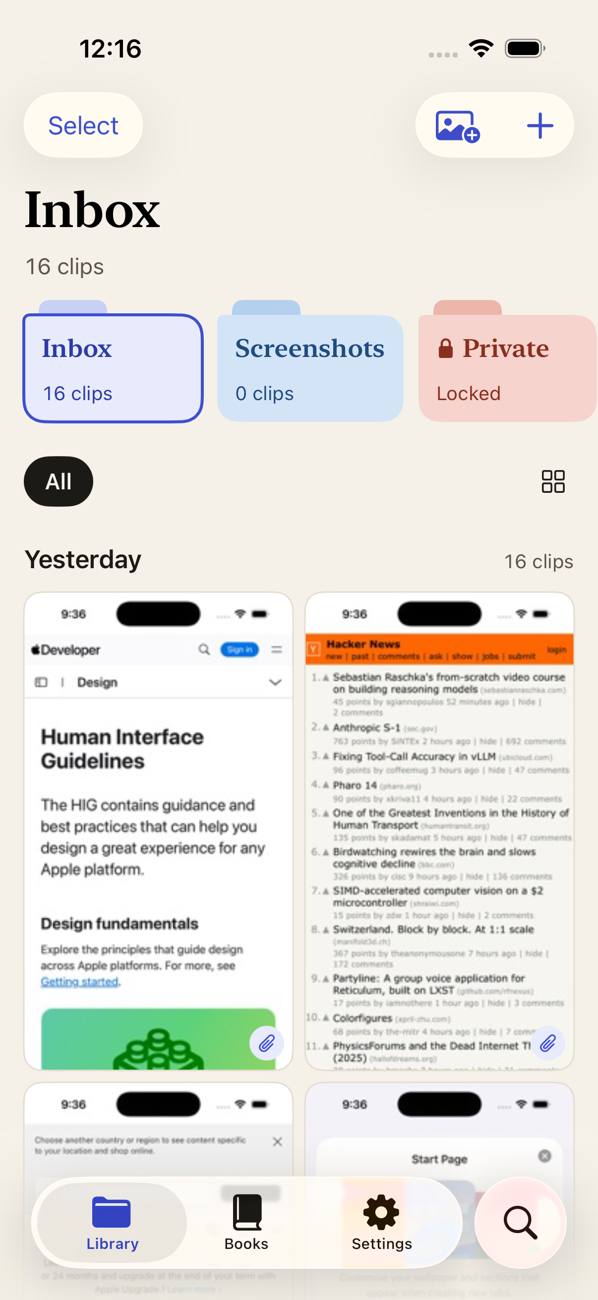
Collect, file, lock, find.
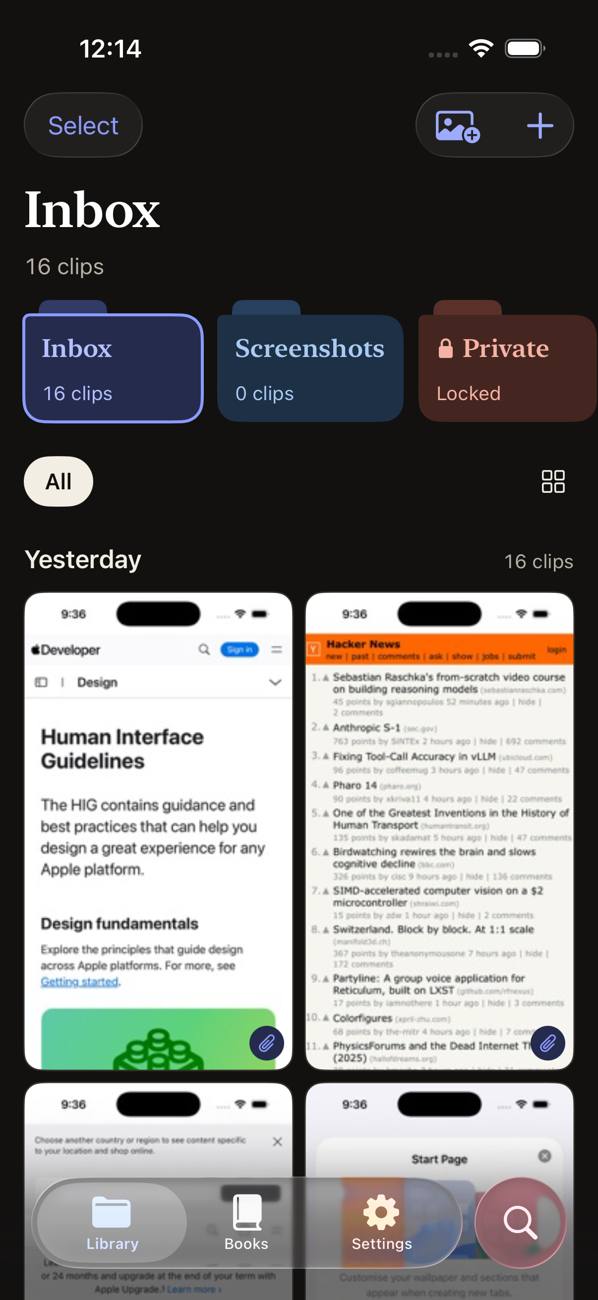
Every time you open Clipfold, new screenshots arrive in your Inbox. From there, everything is one drag or one tap away.
Inbox
New screenshots land here automatically. Add more from the Share sheet, the Import button or drag and drop.
Folders
Paper folders with tabs, subfolders and breadcrumbs. Drag clips onto a folder to file them.
Smart Folders
Folders that fill themselves with every clip whose text or tags match their words.
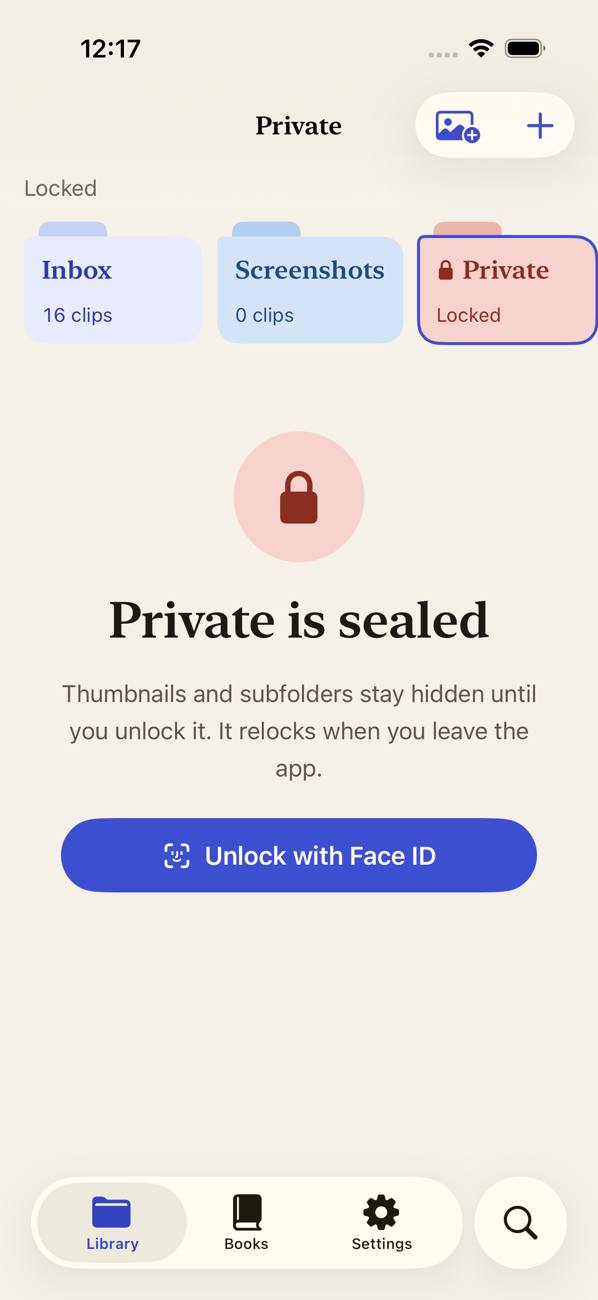
Private
Locked from day one. Opens with Face ID, Touch ID or your passcode, and locks again when you leave.
Books
Turn a trip or a project into a Memory Book PDF with captions, ready to share.
Find a screenshot by what's in it.
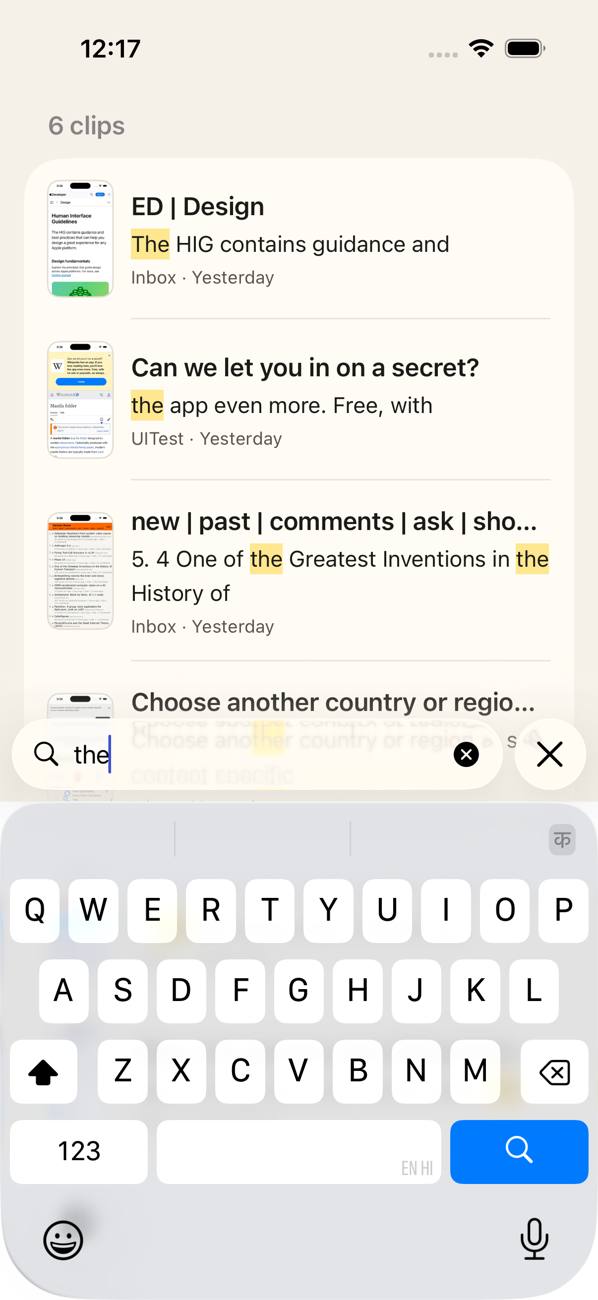
Clipfold reads the text in every image on your device, so you can search “wifi password” or “booking reference” instead of scrolling.
- Matching words are highlighted in the results
- Automatic tags like Documents, People, Food and Pets, plus your own
- Locked folders are never included in search
Folders that fill themselves.
A smart folder is a saved set of words. Every clip whose text or tags mention one of them shows up inside, with no dragging needed, and new screenshots join as soon as they're read.
- Receipts, Tickets, Recipes and Shopping are ready from the start
- Long-press one to change its words
- Make your own with + › New Smart Folder
Receipts
receiptinvoicetotal
Tickets
boardingflightpnr
Recipes
ingredientspreheat
Shopping
cartorderdelivery
Copy the text, not the picture.
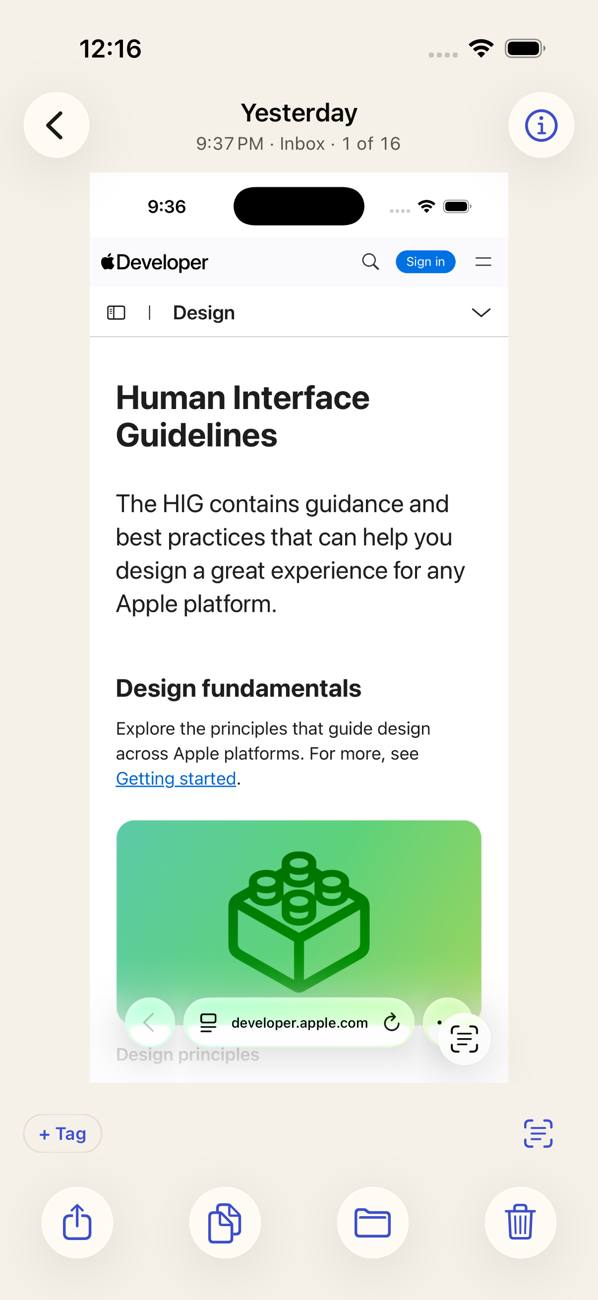
Open any clip to select and copy text, tap phone numbers, links, dates and addresses, or lift a subject out of the image.
- Swipe between clips in a folder
- Share, copy text, move or delete from the bottom bar
- Info shows the details, tags and all the text Clipfold read
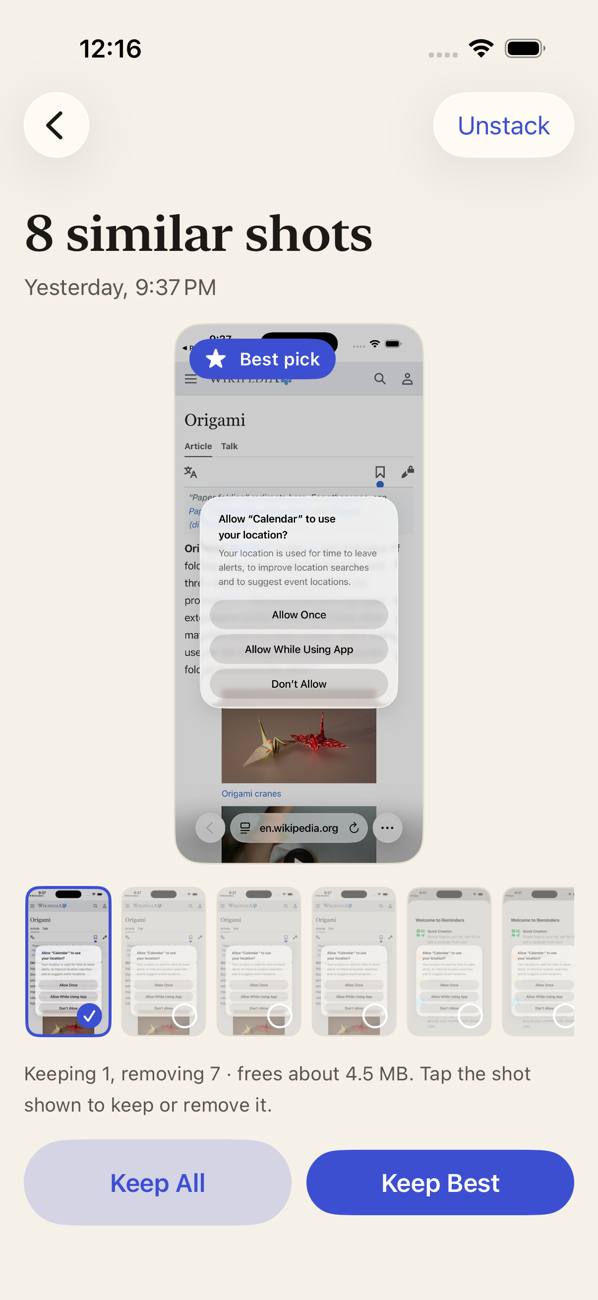
Twenty near-duplicates. One stack.
Screenshots that look almost the same fold into a single stack. Review them side by side, keep the best one and clear the rest.
- Clipfold marks the sharpest, most complete shot as the best pick
- Unstack any time to see every shot in the grid
Private stays private.
IDs, bank screens and medical reports belong behind a lock, not in your camera roll. Locked folders stay sealed until you unlock them.
- Folders lock again after a few idle minutes or when you leave the app
- Locked clips never appear in the app switcher, search or widgets
- Optionally require Face ID to open Clipfold at all
Small tools that save a lot of scrolling.
Tap what's in a clip
Links, phone numbers, addresses and dates become buttons: open, call, see it in Maps or add it to your calendar.
More Like This
Find clips that look like the one you're viewing: the same app, the same layout.
Notes
Add a line about why you kept a clip. Notes show in the viewer and are searchable.
Reminders
Come back to a clip later. The notification never shows what's in it.
Summaries
A few sentences about a long chat or article, written on your device by Apple Intelligence.iOS 26 with Apple Intelligence
Stitch
Join screenshots of one scrolling page into a single tall clip. The originals are kept.
Markup
Draw, highlight, add text or sign. The marked-up copy is saved as a new clip.
Memory Books
Turn a set of clips into a PDF with captions, to keep or share.
Free up space
Delete originals still in Photos for clips already safe in Clipfold. iOS asks first.
Home Screen widget
See new screenshots and jump straight into a folder.
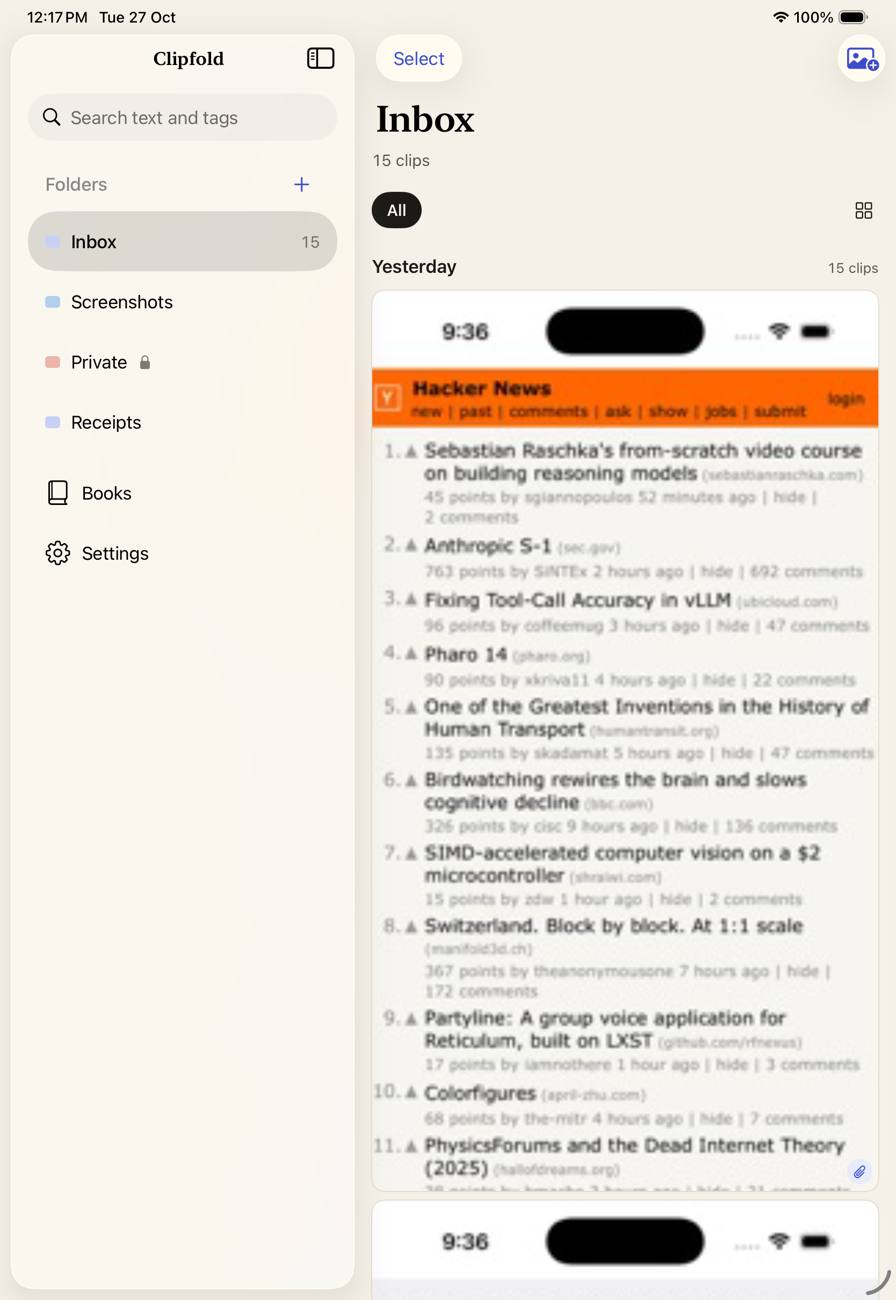
Made for iPad, too.
A sidebar with every folder and subfolder, a separate window per folder, and drag and drop straight into Notes, Mail or Messages. Clips always go out as copies.
Nothing leaves your device.
Clipfold has no account, no ads, no analytics and no servers of its own.
Your own copy
Each clip is copied into a vault inside the app. Delete the original from Photos and it's still in Clipfold.
On-device reading
Text recognition and tags use Apple's on-device Vision framework. Images and text are never uploaded.
Backups you control
The vault is part of your encrypted device backup, and you can exclude it in Settings.
Purchases only
The only network traffic is checking your subscription with Apple and RevenueCat. Read the privacy policy.
Free to use. Pro when you need more.
Importing, the vault, Live Text and the Private folder are free forever.
| Feature | Free | ProPRO |
|---|---|---|
| Import, vault, drag and drop, Live Text | Unlimited | Unlimited |
| Folders you create | Up to 5 | Unlimited, with subfolders and colours |
| Smart Folders | Receipts, Tickets, Recipes, Shopping | Make your own |
| Locked folders besides Private | 1 | Unlimited |
| Tagging and text search | First 100 clips | Unlimited |
| Duplicate stacks | Review | Keep best, delete the rest |
| Memory Books | 1, watermarked | Unlimited, no watermark |
| Widget | Counts | Thumbnails |
Pro is a monthly or yearly auto-renewing subscription, and the yearly plan starts with a free trial. Prices are shown in the app in your local currency. Cancel any time in your Apple Account settings. If Pro ends, everything you already made stays available. See the terms.
Questions
Does Clipfold catch screenshots the moment I take them?
iOS doesn't let apps do that. Clipfold imports new screenshots every time you open it or come back to it.
If I delete a screenshot from Photos, is it gone from Clipfold?
No. Clipfold keeps its own copy. You can even ask Clipfold to offer deleting originals after import to free up space, and iOS always asks you to confirm.
Is anything uploaded?
No. There is no Clipfold server. Your images, tags and recognised text stay on your device.
What if I lose my phone?
Your vault comes back with your encrypted iCloud or computer backup, unless you turned on “Exclude vault from backups” in Settings.
Which languages does search understand?
The languages supported by Apple's on-device text recognition on your device.
Does it handle videos?
Not yet. Clipfold works with images only.